
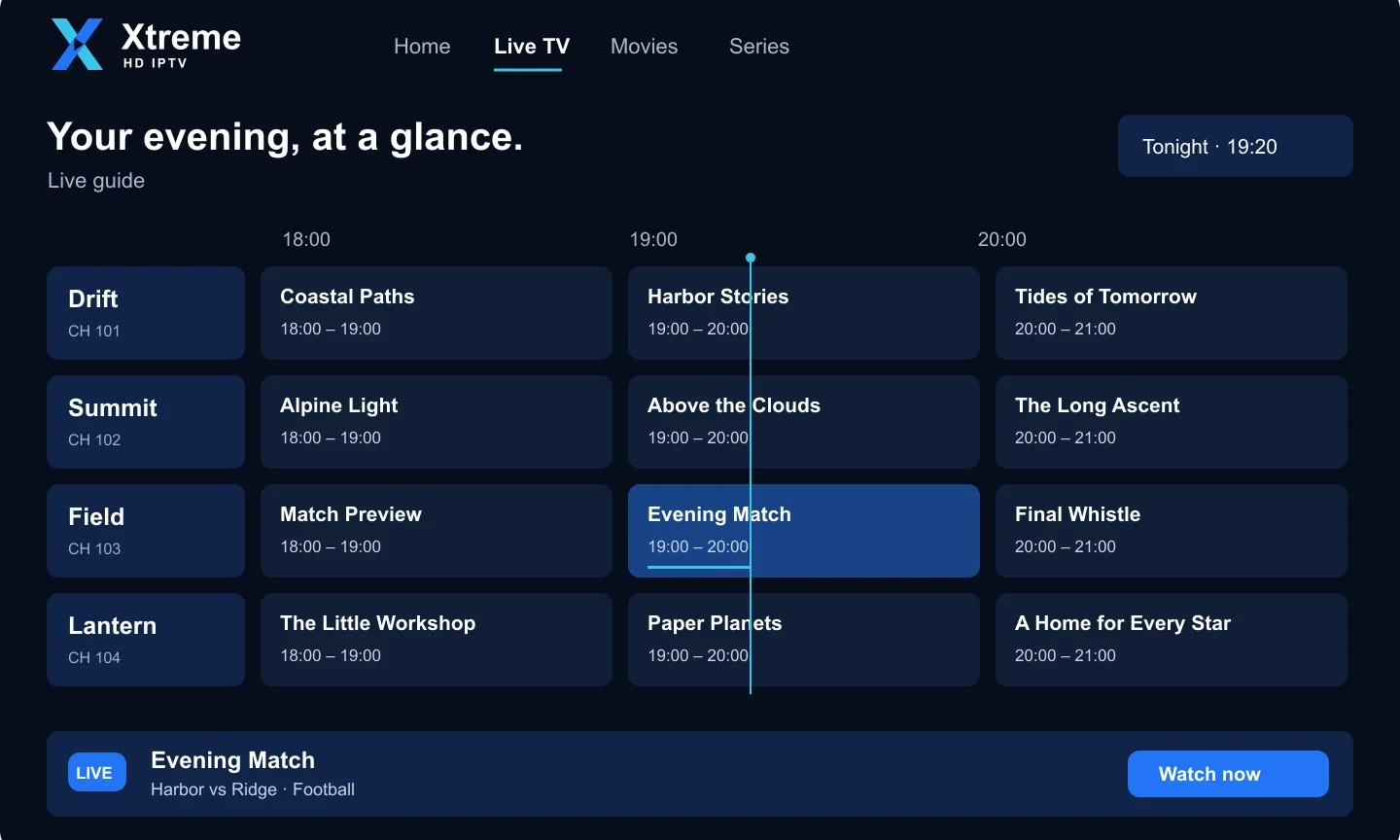
An electronic programme guide, usually shortened to EPG, is the on-screen schedule that shows what is playing now and what comes next on each channel. It turns a long list of channel names into something you can browse like a TV listings magazine. Here is how it works with IPTV and how to get the most from it.
Where EPG data comes from
Programme information is published in a format called XMLTV. An EPG source is a link to an XMLTV file that a player downloads and refreshes periodically. Each channel in your playlist carries an identifier (tvg-id), and the player matches those identifiers to entries in the XMLTV data to fill the guide.
When a subscription includes an EPG link, entering it in the player is normally the only setup required. Some players fetch the guide automatically when you sign in with Xtream Codes details.
What a good EPG lets you do
- See the current and upcoming programmes for every channel in a grid or list.
- Read short descriptions before choosing what to watch.
- Jump to a channel directly from the guide.
- Set reminders in players that support them.
- Use catch-up features in players and subscriptions that offer them.
Why the guide might be empty or wrong
The EPG source has not been added
Open the player’s settings and look for a section called EPG, TV Guide or XMLTV. Paste the EPG link there and save. Most players then take a minute or two to download the data.
Time zone mismatch
If programmes appear shifted by a few hours, the player is applying the wrong time offset. Check the device’s time zone and, if the player has its own EPG offset setting, set it to zero.
Some channels have no data
Not every channel is covered by every guide source, and identifiers occasionally change. This is normal and does not affect playback. If a channel you rely on has no listings, let support know and it can be checked.
Data is out of date
Players cache guide data. Use the “Refresh EPG” or “Update” option, or restart the app. Some players only refresh once a day by default; you can usually shorten that interval in settings.
Choosing a player with a strong guide
Guide quality varies more between players than between subscriptions. If the guide matters to you, look for a player that shows a full grid view, supports XMLTV links and lets you adjust the refresh interval. Our article on choosing a compatible IPTV player compares the features to look for.
Still deciding on a plan? See the current subscription options or ask our team on WhatsApp whether guide data is included with your chosen plan.